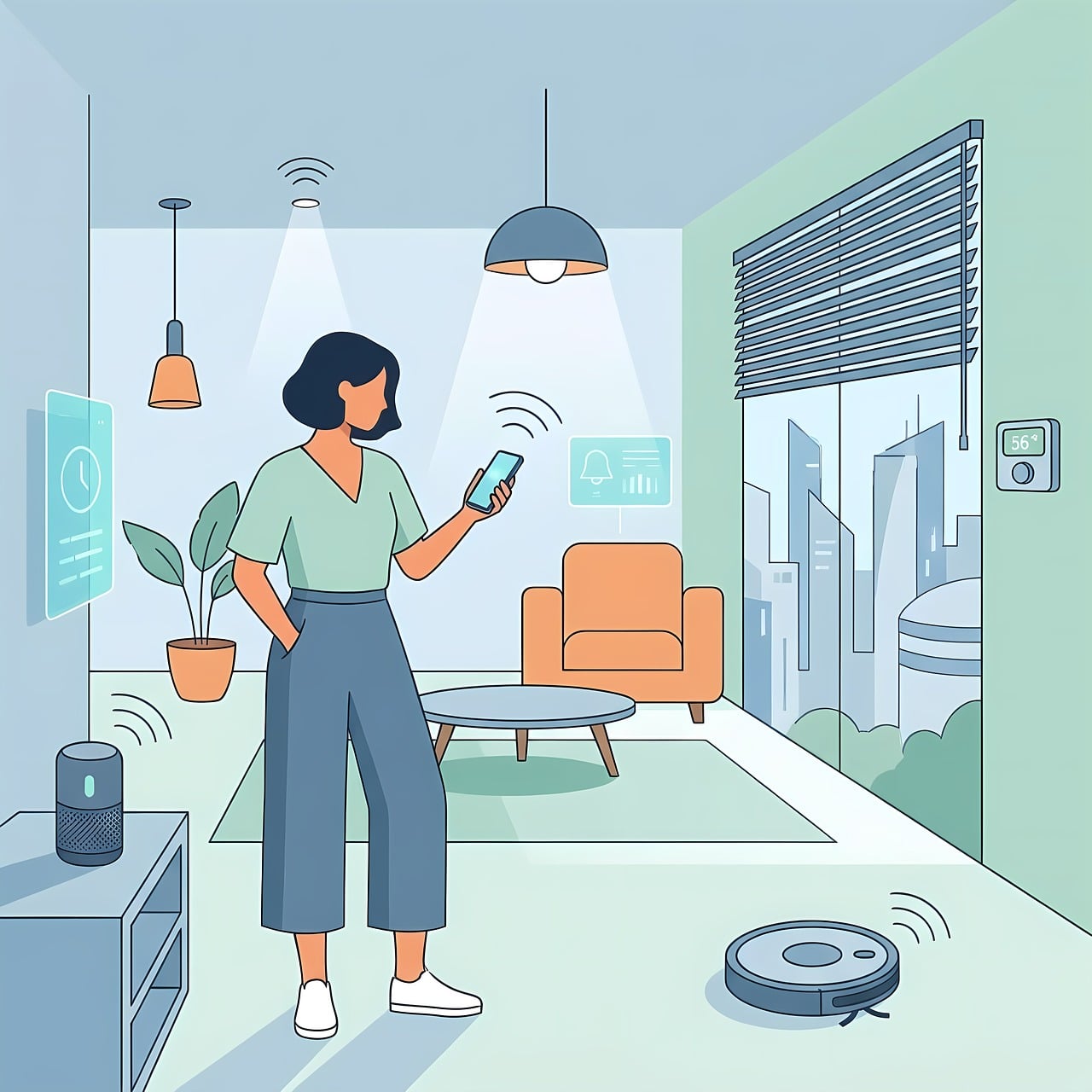
Remember when setting up a smart home meant dealing with three different hub bridges, praying your Wi-Fi wouldn’t drop, and constantly troubleshooting devices that refused to talk to each other?
In 2026, the smart home landscape has evolved.
Thanks to the mature adoption of Matter and Thread wireless protocols, the wall separating Apple, Google, Amazon, and Samsung has crumbled. Today’s best smart home devices connect instantly, process commands locally without relying on the cloud, and genuinely make daily life easier instead of adding another digital chore to your plate.
But with thousands of gadgets claiming to be “revolutionary,” which ones actually earn their keep?
To find out, we spent months testing the latest hardware in real-world homes. We measured everything from setup speed and connection reliability to real energy savings and raw audio performance.
Here are the 15 best smart home devices of 2026 that are absolutely worth your hard-earned money.
The Master List: Quick Comparison of the 15 Best Smart Home Devices
Use this quick-reference table to filter our top-rated picks by category, compatibility, and connection protocol.
| Device Name | Category | Primary Connection | Major Ecosystem Support | Price Tier | Best For… |
|---|---|---|---|---|---|
| Home Assistant Green | Smart Home Hub | Ethernet / Local | Universal (Matter, Zigbee, Z-Wave) | Mid-Range | Absolute control and local privacy |
| Amazon Echo Show 8 (4th Gen) | Smart Display | Wi-Fi / Thread | Amazon Alexa | Mid-Range | Alexa-centric households and smart screen routines |
| Ecobee Smart Thermostat Premium | Climate Control | Wi-Fi | HomeKit, Alexa, Google Home | Premium | Drastically lowering HVAC energy costs |
| Aqara Smart Lock U400 | Smart Lock | Thread (Matter) | Apple Home, Alexa, Google Home | Premium | Lightning-fast UWB and fingerprint entry |
| TP-Link Tapo P110M | Smart Plug | Wi-Fi (Matter) | Universal | Budget | Tracking device-level power draw |
| TP-Link Tapo L535E | Smart Lighting | Wi-Fi (Matter) | Universal | Budget | High-brightness, rich color rooms |
| Nanoleaf Essentials Lightstrip | Accent Lighting | Thread (Matter) | Universal | Mid-Range | Responsive, lag-free ambient lighting |
| Roborock Q Revo MaxV | Robot Vacuum | Wi-Fi | Alexa, Google Home, Siri | Premium | Hands-free vacuuming, mopping, and self-cleaning |
| Aqara Camera Hub G3 | Indoor Security | Wi-Fi / Zigbee | Apple Home, Alexa, Google Home | Mid-Range | AI gesture tracking and nursery monitoring |
| Aqara Video Doorbell G4 | Doorbell Camera | Wi-Fi | Apple Home, Alexa, Google Home | Mid-Range | Local facial recognition and dual power options |
| SwitchBot Bot (Fingerbot) | Retrofit Utility | Bluetooth | Alexa, Google Home, Matter (via Hub) | Budget | Flipping dumb mechanical buttons and switches |
| Apollo Automation MSR-1 | Presence Sensor | Wi-Fi (ESPHome) | Home Assistant, Local API | Budget-Mid | Micro-motion radar room presence |
| Sonos Era 100 | Smart Speaker | Wi-Fi / Bluetooth | Apple AirPlay 2, Amazon Alexa | Premium | Room-filling audio and whole-house music |
| Google Nest Protect | Safety | Wi-Fi | Google Home | Premium | Split-spectrum smoke and carbon monoxide detection |
| SwitchBot Curtain 3 | Smart Blinds | Bluetooth / Thread | Alexa, Google Home, Matter (via Hub) | Mid-Range | Turning traditional curtains smart in 30 seconds |
Ecosystem Decision Guide: Where Should You Start?
Before buying individual devices, it is highly recommended to settle on a primary controller ecosystem. Use the quick flowchart below to identify your best fit.
                      What is your absolute highest priority?
                                         │
        ┌────────────────────────────────┼────────────────────────────────┐
        ▼                                ▼                                ▼
  [Local Privacy]                [Simple Automation]            [Extreme Ecosystem Depth]
        │                                │                                │
  Do you like tinkering?         What phone do you use?         Do you use Amazon/Alexa screens?
    ┌───┴───┐                      ┌─────┴─────┐                    ┌─────┴─────┐
  [Yes]    [No]                 [iPhone]    [Android]             [Yes]        [No]
    │        │                     │           │                    │           │
┌───▼───┐┌───▼───┐             ┌───▼───┐   ┌───▼───┐            ┌───▼───┐   ┌───▼───┐
│ Home  ││Aqara /│             │ Apple │   │ Google│            │ Amazon│   │ Choose│
│ Assist││ Matter│             │ Home  │   │ Home  │            │ Echo  │   │ Google│
└───────┘└───────┘             └───────┘   └───────┘            └───────┘   └───────┘
[Image Suggestion: A modern visual graphic explaining Matter and Thread protocols connecting devices to Google, Apple, and Amazon concurrently. | Alt Text: Matter and Thread smart home connectivity diagram]
Deep Dive Reviews: The 15 Best Smart Home Devices of 2026
1. Home Assistant Green — Best Smart Home Hub for Privacy & Local Control
If you want a smart home that continues working even when your internet connection drops entirely, the Home Assistant Green is the gold standard for centralized control in 2026.
                  [Home Assistant Green Hub]
                             │
       ┌─────────────────────┼─────────────────────┐
       ▼                     ▼                     ▼
 [Matter Devices]     [Zigbee Devices]      [Thread Networks]
- Price Range: Mid-range (~$99)
- Connectivity: Ethernet (RJ45), USB expansion ports
- Compatibility: Universal (Apple Home, Google Home, Alexa, Home Assistant)
Why We Love It
Unlike cloud-reliant hubs that stop working when external servers go down, the Home Assistant Green runs everything locally on your own network. It integrates with virtually every brand under the sun—from obscure budget smart plugs to premium multi-room speaker systems. The initial setup on the “Green” model is fully plug-and-play, removing the steep learning curve historically associated with DIY smart homes.
Pros:
- Absolute privacy; none of your smart home data or habits leave your house.
- 100% local processing means lightning-fast device response times.
- Massive, active global developer community continually adding new integrations.
Cons:
- Advanced automation design still requires some basic technical curiosity.
- Does not contain built-in Wi-Fi; must be physically plugged into your router via Ethernet.
2. Amazon Echo Show 8 (4th Gen) — Best Smart Display for Alexa Ecosystems
For those who want a visual and vocal anchor in their kitchen or living room, the Amazon Echo Show 8 (4th Gen) offers the best blend of speed, sound, and screen real estate on the market.
- Price Range: Mid-range (~$149)
- Connectivity: Dual-band Wi-Fi, Bluetooth, built-in Thread Border Router & Zigbee Hub
- Compatibility: Amazon Alexa, Matter-certified devices
Why We Love It
Amazon completely overhauled the processing power on the 4th Generation Echo Show. Alexa now processes common, everyday requests locally on-device rather than sending your voice commands to the cloud. This cuts down the delay between saying “Alexa, turn on the lights” and the bulb actually turning on to less than half a second. Additionally, its high-quality spatial audio easily fills a medium-sized room with crisp, clear sound.
Pros:
- Built-in Thread Border Router and Zigbee radio allow it to directly control smart devices without extra bridges.
- Auto-framing camera tracks you smoothly during video calls.
- Vastly improved speaker system compared to older Echo displays.
Cons:
- Occasionally shows sponsored content and ads on the home screen rotating card.
- Limited customization of the home screen dashboard.
3. Ecobee Smart Thermostat Premium — Best Smart Climate Control
If you want a device that actually pays for itself within the first year of ownership, the Ecobee Smart Thermostat Premium is the smartest choice you can make for your home HVAC system.
- Price Range: Premium (~$249)
- Connectivity: Wi-Fi, Bluetooth, Siri & Alexa Built-in
- Compatibility: Apple Home, Google Home, Amazon Alexa, SmartThings
Why We Love It
While other thermostats only measure the temperature in the hallway where the physical wall unit is mounted, Ecobee includes a wireless SmartSensor that you can place in your bedroom, office, or nursery. The thermostat dynamically shifts your heating and cooling schedules based on which room is actually occupied and what the temperature is in that specific space, eliminating hot and cold spots throughout your house.
Pros:
- Beautiful brushed metal chassis and vibrant, responsive glass touch display.
- Integrated indoor air quality monitor tracks VOCs, carbon dioxide, and relative humidity.
- Acts as an independent smart speaker with a high-fidelity microphone array.
Cons:
- Installation requires a “C-Wire” (an adapter is included in the box, but adds installation steps if your home lacks one).
- Higher upfront pricing compared to basic smart thermostats.
[Insert Link: See our step-by-step DIY thermostat installation guide]
4. Aqara Smart Lock U400 — Best Smart Lock with Ultra-Wideband (UWB)
The Aqara Smart Lock U400 completely reimagines how you enter your home by utilizing Apple Home Key and cutting-edge Ultra-Wideband (UWB) proximity sensing.
- Price Range: Premium (~$229)
- Connectivity: Thread (Matter over Thread), Bluetooth, NFC, Physical Key
- Compatibility: Apple Home, Amazon Alexa, Google Home, Home Assistant
Why We Love It
No more digging in your pockets for keys or even waiting for a slow Bluetooth connection to pair. With UWB hands-free unlock, you simply walk up to your front door with your Apple Watch or iPhone in your pocket, and the deadbolt retracts automatically as you step onto the porch. If you don’t use Apple devices, the built-in, 3D biometric fingerprint scanner on the exterior keypad registers and unlocks your door in less than 0.3 seconds.
Pros:
- Thread protocol support means incredibly long battery life (typically up to 8 months on AA batteries).
- Sleek, minimalist design that sits flush against standard door frames.
- Multiple backup unlocking methods, including mechanical override and USB-C emergency power ports.
Cons:
- The UWB hands-free unlock is currently most reliable within the Apple ecosystem.
- Requires a Thread border router (like an Apple HomePod or Nest Hub) to use Matter capabilities.
5. TP-Link Tapo P110M Smart Plug — Best Budget Smart Plug with Energy Monitoring
A smart home doesn’t need to cost thousands. The Tapo P110M is a highly affordable, Matter-certified smart plug that transforms any traditional appliance into a smart device.
- Price Range: Extremely Budget-Friendly (~$15-$20)
- Connectivity: Wi-Fi (Matter support)
- Compatibility: Universal (Apple, Google, Alexa, SmartThings)
Why We Love It
Because it supports Matter, you don’t need to download a proprietary app to get this plug up and running. You can open your native Apple Home, Google Home, or Alexa app, scan the QR code on the side of the plug, and instantly control your floor lamps, coffee makers, or space heaters. The built-in energy monitoring lets you track exactly how much electricity your plugged-in devices are drawing in real-time, helping you spot power hogs before your utility bill arrives.
Pros:
- Incredibly cheap entry point into home automation.
- Ultra-compact design does not block the second electrical outlet.
- Granular, live energy consumption statistics and historical charts in the app.
Cons:
- Only supports 2.4GHz Wi-Fi networks (standard for smart plugs).
- Advanced scheduling routines are best configured through a centralized smart assistant.
6. TP-Link Tapo L535E Smart Wi-Fi Bulb — Best All-Round Smart Light Bulb
The Tapo L535E delivers incredibly bright, highly responsive, and energy-efficient lighting across millions of colors without requiring an expensive, dedicated hardware bridge.
- Price Range: Budget-Friendly (~$17)
- Connectivity: Wi-Fi (Matter)
- Compatibility: Apple Home, Google Home, Amazon Alexa, SmartThings
Why We Love It
Most budget smart bulbs struggle with brightness, outputting a dim, washed-out glow when you select colors. The Tapo L535E outputs a whopping 1,100 lumens of brightness (the equivalent of a traditional 75W incandescent bulb), ensuring your rooms are well-lit even during the day. With native Matter integration, it responds instantly to voice commands and syncs seamlessly with other smart home brands.
Pros:
- Incredibly bright color and tunable white ranges (2,500K to 6,500K).
- No hub or bridge required; connects directly to your home Wi-Fi network.
- Consumes a mere 9W of electricity at maximum output.
Cons:
- Does not support Thread; runs entirely on 2.4GHz Wi-Fi.
- Requires a stable Wi-Fi connection at the edge of your rooms for reliable performance.
7. Nanoleaf Essentials Matter Lightstrip — Best Reactive Accent Lighting
If you want to add gorgeous under-cabinet kitchen lighting, media console backlighting, or headboard ambiance, the Nanoleaf Essentials Matter Lightstrip uses Thread technology to offer lightning-fast responsiveness.
- Price Range: Mid-range (~$49)
- Connectivity: Thread, Bluetooth (Matter support)
- Compatibility: Apple Home, Google Home, Alexa, Samsung SmartThings
Why We Love It
Traditional Bluetooth-only lightstrips are notoriously laggy, often taking several seconds to respond when you try to change colors. Because this Nanoleaf strip runs on Thread, commands are executed almost instantaneously. It features an incredibly high density of LED beads, providing a smooth, continuous glowing line of light rather than the distracting, dotted “speckle” pattern seen on cheaper alternatives.
Pros:
- Thread protocol offers incredibly low latency and self-healing mesh networking.
- Pure white channels (warm to cool) are exceptionally bright and accurate.
- Can be physically cut and extended to match the exact dimensions of your space.
Cons:
- The physical controller attached to the cord is somewhat bulky.
- Color transitions can occasionally feel abrupt if configured inside certain third-party apps.
8. Roborock Q Revo MaxV — Best Hands-Free Robot Vacuum & Mop
The Roborock Q Revo MaxV is the ultimate luxury smart home appliance, taking virtually all the physical labor out of keeping your hardwood, tile, and carpeted floors spotless.
          [Q Revo MaxV Docking Station]
         ┌──────────────────────────────┐
         │ [Clean Water]  [Dirty Water] │
         ├──────────────────────────────┤
         │      [Dust Auto-Empty]       │
         └──────────────┬───────────────┘
                        ▼
                [Robot Vacuum Unit]
- Price Range: Premium / High-end (~$999)
- Connectivity: Wi-Fi
- Compatibility: Amazon Alexa, Google Home, Apple Siri Shortcuts, Roborock App
Why We Love It
This is not your average bump-and-turn robotic vacuum from five years ago. The Q Revo MaxV features a physical FlexiArm Design—a small robotic arm that automatically extends its spinning mop pad outward to scrub tight corners and baseboards that other vacuums miss. The multi-functional dock automatically empties the robot’s dustbin, washes the dual spinning mop pads with hot water (140°F), and dries them with warm air to prevent mold and unpleasant odors.
Pros:
- Outstanding obstacle avoidance using an RGB camera and AI-powered light scanning.
- Mop pads automatically lift up to 10mm when carpet is detected to prevent wetting.
- Built-in voice assistant “Rocky” works completely offline without needing an internet connection.
Cons:
- A major upfront financial investment.
- The docking station has a relatively large physical footprint in your home.
9. Aqara Camera Hub G3 — Best Smart Indoor Camera & Security Node
The Aqara Camera Hub G3 is an ultra-smart, indoor pan-and-tilt security camera that pulls double-duty as a powerful Zigbee smart home hub.
- Price Range: Mid-range (~$109)
- Connectivity: Dual-band Wi-Fi, Zigbee 3.0 (built-in hub)
- Compatibility: Apple Home (including Secure Video), Amazon Alexa, Google Home
Why We Love It
The G3 is packed with impressive, on-device AI algorithms. It can recognize human faces, track pets as they wander through the room, and even identify specific hand gestures. For instance, you can train the camera to turn off your living room lights when you make a “V” sign with your hand, or lock your front door when you show it a palm gesture.
Pros:
- Crisp 2K resolution with smooth, motor-driven 360-degree panning.
- The built-in infrared remote control lets you automate older “dumb” appliances like legacy AC units or TVs.
- A physical privacy shutter automatically rolls down over the lens when the camera is set to “Privacy Mode.”
Cons:
- Requires a continuous USB-C power connection (no battery option).
- Requires the Aqara Home app to access advanced gesture settings.
10. Aqara Video Doorbell G4 — Best Smart Doorbell for Local Recording
The Aqara G4 is one of the few smart video doorbells that supports Apple HomeKit Secure Video, runs on local AI facial recognition, and gives you the option to use batteries or existing wiring.
- Price Range: Mid-range (~$119)
- Connectivity: Wi-Fi, local storage support
- Compatibility: Apple Home, Amazon Alexa, Google Home
Why We Love It
If you want to avoid paying a monthly subscription to see who is at your front door, the Aqara G4 is an exceptional choice. It includes an indoor chime repeater that houses a physical microSD card slot, allowing you to store all your recorded clips locally. The on-device AI handles facial recognition locally, letting you configure smart routines like: “If [Child’s Name] is recognized at the front door, send a notification to my phone and play a welcome greeting.”
Pros:
- Can run entirely on 6 AA batteries (up to 4 months of battery life) or hardwired to existing doorbell wiring.
- Includes a loud, indoor chime box in the purchase price.
- Comes with 7 days of free cloud storage as a backup to local recording.
Cons:
- The outdoor camera unit is physically larger than cloud-only doorbell competitors.
- 1080p resolution is lower than some ultra-premium doorbells, though HDR keeps the picture clear.
11. SwitchBot Bot — Best Retrofit Smart Device for Dumb Switches
If you have a traditional appliance that cannot be automated with a smart plug—such as a coffee maker with a mechanical push-button, a wall computer, or a toggle switch—the SwitchBot Bot is the ultimate physical bridge.
- Price Range: Budget-Friendly (~$29)
- Connectivity: Bluetooth, Matter compatible (when paired with SwitchBot Hub 2)
- Compatibility: Alexa, Google Home, Apple Home, Home Assistant
Why We Love It
The SwitchBot Bot is a tiny, battery-powered robotic finger that physically presses a button or pulls a switch on your command. You stick it directly next to your traditional wall switch or appliance button using the included adhesive backing. Through the app, you can set custom timers or voice-trigger the physical arm to press the button, allowing you to modernize older hardware without paying for expensive electrical upgrades.
[Image Suggestion: Photographic close-up of a SwitchBot Bot physically pushing a computer power button or kitchen appliance button. | Alt Text: SwitchBot Bot mechanical button pusher retrofit smart home]
Pros:
- Instantly retrofits traditional switches and buttons without requiring any wiring or electrical knowledge.
- Includes a small add-on tape loop to pull toggle switches “up” and push them “down.”
- Extremely long battery life on standard CR2 batteries (up to 600 days of use).
Cons:
- Relatively industrial, utilitarian physical design that stands out on your wall or appliance.
- Requires a SwitchBot Hub to control remotely when you are away from home.
12. Apollo Automation MSR-1 — Best Advanced Multi-Sensor for Presence Detection
For those who want to build truly seamless smart home automations, the Apollo Automation MSR-1 uses advanced millimeter-wave radar to track human presence with unmatched accuracy.
- Price Range: Budget-to-Mid (~$35-$45)
- Connectivity: Wi-Fi (ESPHome integration), Local API
- Compatibility: Home Assistant, fully local systems
Why We Love It
Traditional motion sensors rely on Passive Infrared (PIR) technology, which only registers movement. If you sit still on your couch reading a book, the lights will turn off on you. The MSR-1 uses millimeter-wave (mmWave) radar to track micro-movements, such as the rise and fall of your chest while breathing. This means your smart home knows you are still in the room even if you are completely motionless, allowing for perfect automation triggers.
Pros:
- Combines mmWave radar, light level (lux), temperature, humidity, and barometric pressure into a tiny, USB-powered housing.
- Allows you to map out custom “zones” (e.g., triggering a light only when you stand near the kitchen sink).
- 100% open-source, local processing that integrates natively with Home Assistant.
Cons:
- Requires a basic understanding of Home Assistant or ESPHome software platforms.
- Does not include a power block or USB-C cable in the standard box.
13. Sonos Era 100 — Best Smart Speaker for Room-Filling Audio
The Sonos Era 100 is the gold standard for acoustic performance, blending high-fidelity physical design with versatile wireless streaming options.
- Price Range: Premium (~$249)
- Connectivity: Wi-Fi, Bluetooth, Line-In (via USB-C adapter), Apple AirPlay 2
- Compatibility: Amazon Alexa, Sonos Voice Control, Apple Home
Why We Love It
While most smart speakers prioritize voice assistants over actual sound quality, Sonos put audio engineering at the forefront of the Era 100. It features dual angled tweeters and a custom woofer to deliver genuine, rich stereo separation and punchy bass from a single speaker cabinet. Using Trueplay Tuning, the speaker uses its built-in microphone array to analyze the acoustic layout of your room and automatically adjust its equalizer settings for optimal sound.
Pros:
- Unmatched clarity and deep, rich bass for its physical size.
- Supports Bluetooth streaming alongside high-quality Wi-Fi streaming.
- Integrates flawlessly into existing Sonos multi-room setups.
Cons:
- Does not natively support Google Assistant (Alexa and Sonos Voice are supported).
- Requires an expensive proprietary adapter if you want to connect a physical turntable via line-in.
14. Google Nest Protect — Best Smart Safety Device
If you are going to put a smart sensor in your home, make it one that can actively save your life. The Google Nest Protect is the smartest smoke and carbon monoxide detector ever designed.
- Price Range: Premium (~$119)
- Connectivity: Wi-Fi, Interconnected wireless mesh
- Compatibility: Google Home, Nest App
Why We Love It
Traditional smoke alarms wait until the room is filled with thick smoke before sounding a terrifying, high-pitched alarm. Nest Protect uses a Split-Spectrum Sensor to identify both fast-burning fires and slow, smoldering fires early. Before sounding the full siren, it speaks to you in a calm, clear human voice (“Heads up, there is smoke in the kitchen”), giving you a chance to clear out a burnt piece of toast before waking up the entire neighborhood.
Pros:
- Sends instant emergency alerts to your phone if you are away from home.
- Built-in pathlight illuminates your path at night with a gentle, motion-activated glow.
- Automatically runs self-tests of its battery, sensors, and siren every single day.
Cons:
- Requires replacing older dumb alarms, which can be expensive if you need multiple units.
- Does not support native Matter integrations yet, though it works perfectly inside Google Home.
15. SwitchBot Curtain 3 — Best Smart Blind & Curtain Motor
The SwitchBot Curtain 3 is a powerful, retrofitted robotic motor that turns your existing traditional curtains into automated drapes in under 30 seconds.
- Price Range: Mid-range (~$89)
- Connectivity: Bluetooth, Matter compatible (via SwitchBot Hub 2)
- Compatibility: Apple Home, Amazon Alexa, Google Home
Why We Love It
You do not need to replace your existing curtain rods or buy expensive custom drapes. The SwitchBot Curtain 3 hangs directly onto your existing curtain rod or U-rail system, hidden neatly behind the fabric fold. It features a high-torque motor that can easily pull up to 35 pounds of heavy, light-blocking thermal curtains, opening them gently on your custom morning schedule to let natural light wake you up.
Pros:
- Tool-free installation that takes seconds to set up.
- Optional, high-efficiency solar panel attachment keeps the internal battery permanently charged.
- Quiet Drift Mode opens curtains at a near-silent 25 decibels.
Cons:
- Visible from certain angles depending on your curtain style.
- Requires purchasing a separate unit for double-sided (split) curtain setups.
The Math Behind Smart Upgrades: Calculating Your Real ROI
Many homeowners hesitate to invest in high-end smart home upgrades because of the initial purchase costs. However, smart devices like thermostats and energy-monitoring plugs are highly efficient tools for lowering your utility bills. Let’s look at the actual financial mathematics behind these smart upgrades.
Case Study: Calculating Smart Thermostat Return on Investment (ROI)
Let $H$ be your average annual heating and cooling energy bill, let $R$ be the percentage reduction in energy usage achieved by installing a smart thermostat (typically between $15\%$ and $23\%$), and let $C_{thermostat}$ be the initial cost of purchasing and installing the thermostat.
The annual financial savings ($S_{annual}$) is calculated as:$$S_{annual} = H \times \left(\frac{R}{100}\right)$$
The break-even time in years ($Y_{be}$) is calculated as:$$Y_{be} = \frac{C_{thermostat}}{S_{annual}}$$
Let’s plug in real-world averages for a standard single-family home using the Ecobee Smart Thermostat Premium:
- Average Annual Energy Bill ($H$): $\$1,600$
- Conservative Energy Reduction ($R$): $18\%$
- Initial Thermostat Cost ($C_{thermostat}$): $\$249$
First, let’s find the annual savings:$$S_{annual} = 1600 \times \left(\frac{18}{100}\right) = \$288 \text{ per year}$$
Now, let’s find the break-even time ($Y_{be}$):$$Y_{be} = \frac{249}{288} \approx 0.86 \text{ years}$$
The Verdict: Your smart thermostat pays for itself in less than 11 months. Every month after that is pure profit straight back into your household budget. Over a 5-year device lifespan, this single upgrade saves you $\$1,191$ in net energy bills.
[Insert Link: Read our full energy savings analysis for smart homes]
Smart Home Buyer’s Checklist: 4 Pillars of Future-Proofing
Before you purchase any smart home device in 2026, run through this quick checklist to ensure your investment stands the test of time:
1. Does it support Matter over Thread?
Avoid older Wi-Fi or proprietary hub protocols when buying new small sensors, plugs, or light bulbs. Thread creates a self-healing mesh network that doesn’t slow down your router, and Matter guarantees your device will work with Apple, Google, Alexa, and Home Assistant seamlessly.
2. Is processing Local or Cloud-Based?
If a device relies entirely on cloud servers, it will:
- Have a noticeable 1-to-3 second delay on every command.
- Stop working entirely if your internet connection drops.
- Be vulnerable to the manufacturer shutting down their servers or introducing sudden subscription fees. Always prioritize local execution whenever possible.
3. Check for Battery Life & Power Constraints
- Sensors: Aim for Thread-enabled sensors or those that utilize CR123A or CR2450 batteries, which easily last 1 to 2 years.
- High-Drain Devices: For locks, automated blinds, and cameras, ensure there are easy recharge methods or solar panel attachments to avoid maintenance fatigue.
4. Ecosystem Lock-In vs. Platform Agnosticism
Don’t lock yourself into a single brand’s proprietary garden. Try to buy devices that are platform-agnostic, meaning they can simultaneously register to Apple Home and Google Home without issue.
Frequently Asked Questions (FAQs)
What is the difference between Matter and Thread?
Matter is the software language that allows devices from different brands to understand and talk to each other. Thread is the hardware highway (wireless protocol) that physically carries those messages. Think of Matter as the spoken language and Thread as the high-speed telephone line.
Do I need a smart home hub in 2026?
It depends. If you use basic Wi-Fi smart plugs and lights, you can control them directly using your phone or an Echo speaker. However, if you want complex, instant automations, advanced mmWave presence sensing, or local privacy, a dedicated local hub like Home Assistant Green is highly recommended.
Will smart home devices slow down my home Wi-Fi?
If you have 40 to 50 individual Wi-Fi-based smart plugs and light bulbs connected directly to a standard internet router, your network performance can degrade. Upgrading to Thread-certified devices or utilizing local hubs (which manage devices off your main Wi-Fi band) entirely resolves this bottleneck.
{
  "@context": "https://schema.org",
  "@type": "FAQPage",
  "mainEntity": [
    {
      "@type": "Question",
      "name": "What is the difference between Matter and Thread?",
      "acceptedAnswer": {
        "@type": "Answer",
        "text": "Matter is the unified software standard that allows smart devices to communicate across platforms like Apple, Google, and Amazon. Thread is the secure, energy-efficient wireless mesh network protocol that physically transmits those commands without relying on Wi-Fi."
      }
    },
    {
      "@type": "Question",
      "name": "Do I need a smart home hub in 2026?",
      "acceptedAnswer": {
        "@type": "Answer",
        "text": "For basic plug-and-play Wi-Fi or Matter devices, your existing smart speaker or phone is sufficient. However, for advanced local automation, zero-latency performance, and total privacy control, a dedicated local hub like Home Assistant Green is highly beneficial."
      }
    },
    {
      "@type": "Question",
      "name": "Will smart home devices slow down my home Wi-Fi?",
      "acceptedAnswer": {
        "@type": "Answer",
        "text": "Yes, if you use dozens of standard Wi-Fi smart devices on a basic ISP-provided router. You can easily prevent this network congestion by prioritizing Thread-enabled smart devices or integrating local hubs."
      }
    }
  ]
}

