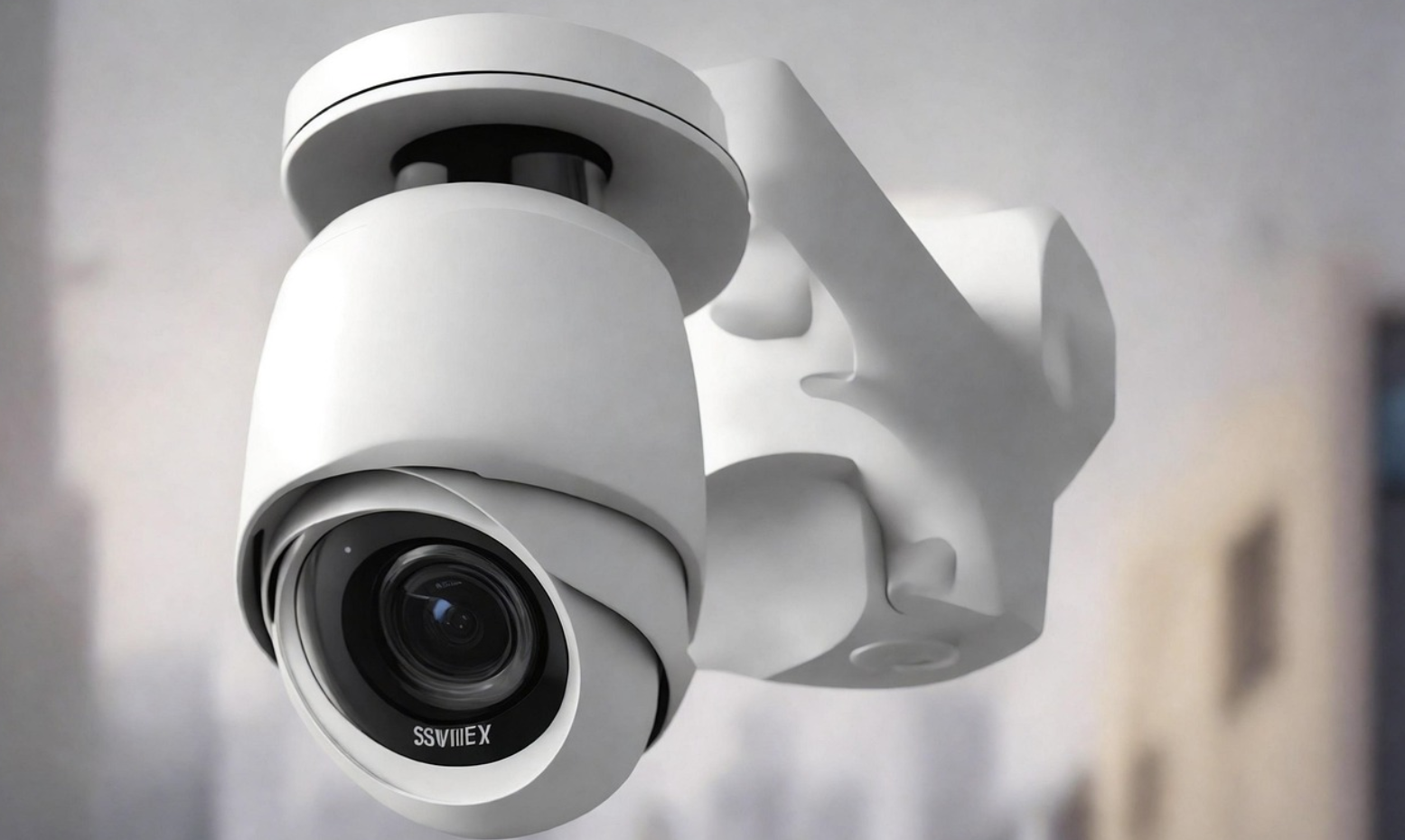
Think about how much smart home security has shifted over the last couple of years. We used to accept grainy 1080p feeds, slow motion alerts triggered by a passing moth, and monthly subscription bills that slowly crept up every single year.
In 2026, the landscape is entirely different.
Today’s top-tier security systems offer on-board AI that easily tells your local mail carrier apart from a stray cat, color night vision that turns pitch-black midnights into clear, daytime-looking footage, and powerful options for local storage that let you ditch monthly cloud fees for good.
But with so many brands claiming they are the “smartest” or “safest,” how do you actually separate the marketing hype from real-world performance?
To save you the headache, we spent over 120 hours testing, mounting, and monitoring the top options on the market. Whether you need a rugged outdoor solar camera that never needs a recharge, a high-lumen floodlight setup to illuminate your driveway, or a compact indoor baby and pet monitor, we’ve got you covered.
Here is our definitive, real-world guide to the best smart home security camera 2026 models, built to protect your home and your budget.
Quick Comparison: The Best Smart Home Security Cameras of 2026
If you want a quick side-by-side view of our top picks, use the comparison table below to filter by power type, resolution, and whether you’ll be locked into a monthly subscription.
| Camera Model | Primary Category | Video Resolution | Power Source | Field of View (FOV) | Local Storage Option? | Best For… |
|---|---|---|---|---|---|---|
| Eufy S3 Pro (eufyCam 3) | Outdoor Solar | 4K UHD | Solar / Battery | 135° | Yes (16GB – 16TB via HomeBase) | Best Overall Outdoor Security |
| Reolink Duo 3 PoE | Outdoor Wired | 16MP / 4K | PoE (Power over Ethernet) | 180° Ultra-Wide | Yes (microSD / NVR) | Best Ultra-Wide No-Lag View |
| Eufy Floodlight Cam E340 | Floodlight | 2K / 3K Dual Lens | Hardwired | 360° Panning | Yes (microSD / HomeBase) | Best Smart Floodlight Camera |
| Ring Floodlight Cam Wired Pro | Floodlight | 2K QHD | Hardwired | 140° Horizontal | No (Cloud Only) | Best for Alexa Ecosystems |
| Google Nest Cam (Battery) | Indoor/Outdoor | 1080p HDR | Battery / Plug-in | 130° | No (3-Hour Free Cloud Roll) | Best for Google Home Users |
| SimpliSafe Wireless Outdoor | Outdoor System | 1080p HD | Battery | 140° | No (Cloud / Pro Monitoring) | Best Pro-Monitored Deterrent |
| Tapo C120 | Indoor/Outdoor | 2K QHD | Plug-in | 120° | Yes (microSD up to 512GB) | Best Value/Budget All-Rounder |
| Eufy Security Indoor Cam C120 | Indoor | 2K QHD | Plug-in | 125° | Yes (microSD) | Best Indoor Pet & Baby Monitor |
Visual Guide: How to Choose Your Security Camera Setup in 5 Seconds
Below is a quick visual flowchart to narrow down exactly what camera setup you need based on your physical property constraints and subscription preferences.
                  Do you own your home or rent it?
                             │
              ┌──────────────┴──────────────┐
           [Renter]                       [Owner]
              │                             │
    Do you mind running cables?     Can you run PoE/Ethernet?
        ┌─────┴─────┐                   ┌───┴───┐
      [Yes]        [No]               [Yes]    [No]
        │           │                   │       │
    ┌───▼───┐   ┌───▼───┐           ┌───▼───┐   │
    │ Indoor│   │ Wire- │           │Reolink│   │
    │ Plug- │   │ Free  │           │ Duo 3 │   │
    │  In   │   │ Solar │           └───────┘   │
    └───────┘   └───────┘                       │
                                    Do you want high-output floodlights?
                                                ┌───┴───┐
                                              [Yes]    [No]
                                                │       │
                                            ┌───▼───┐ ┌─▼──────────────────┐
                                            │ Eufy  │ │ Eufy S3 Pro /      │
                                            │ E340  │ │ Ring Spotlight Cam │
                                            └───────┘ └────────────────────┘
[Image Suggestion: A modern smart home infographic showing ideal placements for Indoor, Outdoor, Floodlight, and Doorbell cameras with colored coverage arcs. | Alt Text: best smart home security camera 2026 home placement infographic]
Exhaustive Reviews: The Best Smart Home Security Cameras of 2026
1. Eufy S3 Pro (eufyCam 3) — Best Outdoor Security Camera Overall
If you want a powerhouse outdoor camera that requires zero monthly subscriptions, absolute crispness, and a power system that literally takes care of itself, the Eufy S3 Pro is the undisputed champion of 2026.
       [Solar Panel Built-in]
       ┌────────────────────┐
       │   [Lens]  [Sensors]│  <-- 4K Camera Body
       └────────────────────┘
- Price Range: Premium / High-end
- Resolution: 4K UHD with MaxColor Vision™
- Power Source: Built-in solar panel with integrated backup battery
- Smart Integration: Amazon Alexa, Google Assistant, Apple HomeKit
Why We Love It
The standout feature here is Eufy’s MaxColor Vision technology. Most night-vision cameras rely on infrared lights (which give you a ghostly black-and-white image) or a small spotlight that only illuminates a tiny circle. The S3 Pro captures light so efficiently that pitch-black midnight environments look like a sunny afternoon in full, vibrant color.
Furthermore, the built-in solar panel is highly efficient. In our tests, just 30 to 45 minutes of direct daily sunlight kept the battery permanently topped off at 100%. No ladders, no removal, and no wiring required.
Local AI Capabilities
Because this camera connects to the HomeBase 3, all facial recognition, vehicle mapping, and package detection are processed locally on your own hardware. The system learns the faces of your family members, frequent delivery drivers, and neighbors. Over time, you stop receiving generic “Motion Detected” alerts and start receiving hyper-accurate “Sarah has arrived home” notifications.
Pros:
- Incredible, daylight-quality color night vision without needing bright spotlights.
- Genuine zero-subscription model; all footage is stored locally.
- HomeBase 3 includes 16GB of local storage, expandable up to 16TB with an off-the-shelf SSD/HDD.
- Self-sustaining solar charging works flawlessly.
Cons:
- High initial upfront equipment cost.
- The companion app features a slight learning curve due to the sheer volume of custom local rules and triggers.
[Insert Link: Check out our step-by-step Eufy HomeBase 3 setup guide]
2. Reolink Duo 3 PoE — Best Outdoor Security Camera for Ultra-Wide Coverage
If you have a wide driveway, a massive backyard, or a commercial storefront, a standard 130-degree lens is going to leave massive blind spots. The Reolink Duo 3 PoE solves this problem permanently by stitching together two physical camera lenses into a seamless, distortion-free 180-degree view.
- Price Range: Mid-range
- Resolution: 16MP / 4K dual-lens
- Power Source: PoE (Power over Ethernet)
- Smart Integration: Amazon Alexa, Google Assistant, Home Assistant (Local Integration)
Why We Love It
This is an absolute beast of an outdoor security camera. Instead of relying on motor-driven panning (which can miss action occurring on the opposite side while panning), the Duo 3 monitors everything at once. The dual lenses capture ultra-high-definition 16MP images, and the camera’s internal chip stitches the feeds together without the “fisheye” warping common in older wide-angle lenses.
Because it runs on Power over Ethernet (PoE), a single ethernet cable delivers both stable power and local data streaming directly to your router or NVR. This completely eliminates Wi-Fi signal dropouts and the risk of Wi-Fi jamming.
Pros:
- Unrivaled 180-degree continuous field of view.
- No monthly fees—footage records locally to a microSD card or an existing NVR setup.
- Power over Ethernet offers rock-solid, lag-free streaming.
- Advanced on-board AI identifies humans, vehicles, and pets instantly.
Cons:
- Requires routing an Ethernet cable through your attic or walls to the outside.
- No built-in wireless battery option; strictly wired.
3. Eufy Floodlight Cam E340 — Best Smart Floodlight Camera
For total active illumination and tracking, the Eufy Floodlight Cam E340 is a masterclass in smart deterrence. It combines two lenses with a motor-driven 360-degree pan-and-tilt mount and 2,000 lumens of fully adjustable LED light.
- Price Range: Mid-to-High
- Resolution: 3K telephoto lens + 2K wide-angle lens (Dual Cam)
- Power Source: Hardwired (110-240V)
- Smart Integration: Amazon Alexa, Google Assistant
Why We Love It
The dual-camera system on this floodlight is incredible. One lens captures a wide overview of your yard, while the second telephoto lens automatically zooms in on any detected target (like a person stepping onto your lawn) to lock onto facial details and license plates.
Because the camera can rotate 360 degrees, its smart tracking follows an intruder as they walk from your side yard across your driveway, lighting up their path with 2,000 lumens of daylight-bright LEDs.
Pros:
- Dual lenses allow simultaneous wide views and 3x optical-style zoom details.
- 360-degree motor-driven auto-tracking follows people automatically.
- Built-in local storage with zero ongoing subscription costs.
- Extremely bright, fully dimmable LED panels.
Cons:
- Requires existing outdoor floodlight junction box wiring for power.
- Larger physical footprint on your home’s exterior.
4. Ring Floodlight Cam Wired Pro — Best Alexa-Native Floodlight Camera
If you are already deeply invested in the Amazon Alexa ecosystem—using Echo Shows, Ring doorbells, and smart lighting routines—the Ring Floodlight Cam Wired Pro is the absolute most reliable companion for your smart hub.
- Price Range: High-end
- Resolution: 2K QHD
- Power Source: Hardwired (110-240V)
- Smart Integration: Amazon Alexa, Samsung SmartThings
Why We Love It
Ring’s “Pro” line is famous for its 3D Motion Detection and Bird’s-Eye View radar technology. This feature maps out the exact path an intruder took across your property as a series of dots on an aerial satellite image of your home.
This radar tracking completely eliminates false alarms. You won’t get alerts for a tree branch moving near the street; the alert is only triggered when a physical entity crosses your custom radar distance threshold (e.g., within 10 feet of your garage door).
Pros:
- Best-in-class radar motion tracking (3D Motion Detection).
- Flawless integration with Echo Show screens and Alexa routines.
- Dual-band Wi-Fi (2.4GHz & 5GHz) prevents connection drops.
- Powerful 2,000-lumen floodlights with customizable schedules.
Cons:
- Requires a paid Ring Protect Plan ($5/month per device or $10/month for the home) to view any recorded videos.
- No local backup options if your Wi-Fi or internet goes offline.
5. Google Nest Cam (Battery) — Best Integration for Google Home Users
Google has designed the Nest Cam (Battery) to be the most visually clean and smart-assistant-friendly camera for those who run Google Nest Hubs and Google Assistant routines.
- Price Range: Mid-range
- Resolution: 1080p HDR
- Power Source: Rechargeable battery or magnetic weatherproof cable
- Smart Integration: Google Assistant / Google Home
Why We Love It
Google’s strength has always been its outstanding machine learning algorithms. The Nest Cam processes its AI detection on-device, offering incredibly fast and accurate notifications for people, animals, and vehicles.
We love its sleek, magnetic mount system. Placing it and adjusting its angle takes seconds, and pulling it down to recharge the battery every 3 to 6 months is an effortless process.
Pros:
- Best-in-class integration with Google Nest Hub smart screens.
- Clean, minimalist physical industrial design.
- Offers 3 hours of free event-based video history in the cloud without a subscription.
- Outstanding high-dynamic range (HDR) handles harsh backlights and deep shadows.
Cons:
- Only 1080p resolution at a time when competitors are offering 2K and 4K.
- Fully unlocking its potential (like familiar face alerts and longer history) requires a paid Nest Aware plan.
6. SimpliSafe Wireless Outdoor Camera — Best DIY Camera with Professional Monitoring
If you want a security system that doesn’t just record crime, but actively stops it while it is happening, the SimpliSafe Wireless Outdoor Camera paired with their professional monitoring plan is a game-changer.
- Price Range: Mid-range
- Resolution: 1080p HD
- Power Source: Rechargeable Battery
- Smart Integration: SimpliSafe System, Alexa, Google Assistant
Why We Love It
What sets SimpliSafe apart is Active Guard Outdoor Protection. If an intruder enters your property during an armed state, professional monitoring agents can tap into your live camera feed, use the ultra-loud speaker to speak directly to the intruder (“Step away from the home, police have been notified”), and activate the spotlight/siren. This proactive intervention frequently deters burglars before they ever touch your doors or windows.
Pros:
- True professional active monitoring intervention.
- Extremely easy, tool-free DIY physical setup.
- Excellent integration with the broader SimpliSafe home ecosystem.
- Fast-charging modular battery pack.
Cons:
- To get video recordings or active deterrents, you must subscribe to a paid professional monitoring plan.
- Basic 1080p resolution.
7. TP-Link Tapo C120 — Best Budget-Friendly Indoor/Outdoor Camera
You do not need to spend hundreds of dollars to get a top-tier security camera. The Tapo C120 is an incredible, compact, weatherproof camera that packs premium features into a highly budget-friendly price tag.
- Price Range: Extremely Budget-Friendly
- Resolution: 2K QHD
- Power Source: Plug-in (USB-C power adapter)
- Smart Integration: Amazon Alexa, Google Assistant
Why We Love It
For its incredibly low cost, the Tapo C120 is packed with premium-tier specifications: crisp 2K video, color night vision, free on-device smart detection (person, pet, vehicle, baby crying), and support for high-capacity local microSD cards up to 512GB.
Because it is IP66 weatherproof, you can stick its magnetic base to your metal rain gutter outside, or place it on a bookshelf inside to act as a highly capable nanny cam.
Pros:
- Unbeatable price-to-performance ratio.
- Completely free AI detection out of the box (no subscription wall).
- Magnetic base is incredibly easy to mount and adjust.
- Weatherproof body works perfectly indoors or outdoors.
Cons:
- Requires a continuous USB-C power connection (no internal battery option).
- Included power cable may require extension for outdoor placements.
[Image Suggestion: Photographic comparison showing 1080p vs 2K vs 4K security feeds. | Alt Text: security camera resolution comparison 1080p vs 2k vs 4k]
8. Eufy Security Indoor Cam C120 — Best Dedicated Indoor Pet & Baby Monitor
If you need a dedicated indoor camera to keep an eye on your living room, pets, or nursery, the Eufy Security Indoor Cam C120 offers outstanding 2K resolution and smart AI tracking for under forty dollars.
- Price Range: Budget-Friendly
- Resolution: 2K QHD
- Power Source: Plug-in
- Smart Integration: Amazon Alexa, Google Assistant, Apple HomeKit
Why We Love It
The local chip on the Indoor Cam C120 includes a built-in Crying Detection algorithm, making it an excellent nursery monitor. Additionally, you can configure “Activity Zones”—such as drawing a digital box around your kitchen counter—and receive an instant notification if your pet jumps up.
Pros:
- Extremely affordable.
- Integrates natively with Apple HomeKit Secure Video, Amazon Alexa, and Google Home.
- High-resolution 2K video makes it easy to zoom in on small details.
- Continuous local recording is fully supported.
Cons:
- Not weatherproof; indoor use only.
- Does not physically pan or tilt automatically.
The Hidden Costs: Cloud Storage vs. Local Storage
One of the biggest mistakes homeowners make when purchasing a best outdoor security camera or best indoor security camera is ignoring the long-term subscription costs. Let’s break down the economics of these systems over a five-year lifespan.
Let $C_H$ be the initial upfront hardware cost, $C_S$ be the monthly subscription cost, and $T$ be the total cost over $N$ months.$$T = C_H + (C_S \times N)$$
Let’s compare a premium cloud-only system (like Ring or Nest) against a local storage system (like Eufy or Reolink) over 5 years ($N = 60$ months):
Scenario A: Cloud-Based Camera System (e.g., 3 Cameras + Subscription)
- Initial Hardware Cost ($C_H$): $300
- Monthly Subscription Fee ($C_S$): $10/month (Ring Protect Plus or Nest Aware)
- Total Cost over 5 Years ($T$):
$$T = 300 + (10 \times 60) = \$900$$
Scenario B: Subscription-Free Local Storage System (e.g., 3 Eufy Cameras + Local Storage)
- Initial Hardware Cost ($C_H$): $450 (higher upfront cost due to local hub)
- Monthly Subscription Fee ($C_S$): $0/month
- Total Cost over 5 Years ($T$):
$$T = 450 + (0 \times 60) = \$450$$
The Takeaway: While local storage options may require a higher initial investment, they typically pay for themselves within the first 18 to 24 months, saving you hundreds of dollars in the long run.
[Insert Link: Learn more in our comparison of Cloud vs Local storage options]
Key Buyer’s Checklist: What to Look For Before You Purchase
When choosing your ideal smart home security camera setup in 2026, keep these four essential pillars in mind:
1. Power Source & Installation Complexity
- Battery/Solar: Easiest to install. Best for renters or hard-to-reach outdoor areas. Make sure the camera has a solid solar panel attachment option to avoid the chore of charging.
- Hardwired: Best for floodlights. Requires a permanent 110-120V connection.
- PoE (Power over Ethernet): The gold standard for zero lag and uninterrupted security. Requires running an Ethernet cable back to a centralized switch.
2. Resolution vs. Storage Capacity
In 2026, 1080p resolution is outdated. You should aim for a minimum of 2K resolution for indoor or budget setups, and 4K resolution for critical outdoor zones (like your driveway or front gate) where identifying license plates or facial details from a distance is necessary.
3. Artificial Intelligence and False Alarm Filters
Cheap, unbranded cameras send notifications for every insect, headlight glare, or blowing leaf. Look for cameras with built-in Edge AI that can distinguish between:
- Humans: Triggers an immediate alert.
- Animals: Alerts you only if they enter specific zones (e.g., your garden).
- Vehicles: Essential for monitoring driveways.
- Packages: Notifies you when a delivery box is left at your door.
4. Ecosystem & Smart Assistant Compatibility
Make sure your cameras speak the same language as your existing smart home hubs:
- Alexa: Ring, Eufy, and Tapo work flawlessly.
- Google Assistant: Google Nest, Eufy, and Tapo are highly compatible.
- Apple HomeKit: Look for Eufy’s indoor cameras or cameras supporting HomeKit Secure Video.
Frequently Asked Questions (FAQs)
Can security cameras work without a Wi-Fi connection?
Yes. Many local storage cameras (such as the Reolink Duo 3 PoE or Lorex systems) can record continuous footage directly to an on-site NVR or microSD card without an active internet connection. However, you won’t be able to view live streams remotely on your mobile phone or receive real-time motion alerts.
How much bandwidth do smart security cameras use?
A standard 2K security camera uses roughly 1.5 to 3 Mbps of upload speed when actively streaming or uploading clips to the cloud. If you have 4 to 5 high-resolution cameras on your network, we recommend utilizing dual-band routers or switching to wired PoE connections to avoid slowing down your home internet.
Are wireless security cameras completely wire-free?
Not always. “Wireless” usually refers to the data transmission (Wi-Fi), but the camera may still require a physical power cord plugged into an outlet. Truly “wire-free” cameras run entirely on rechargeable internal batteries or solar panels.
Do I need a subscription to use a smart home camera?
No. Brands like Eufy, Reolink, and Tapo offer excellent hardware options that process artificial intelligence locally and record footage directly to a microSD card or HomeBase hub for zero ongoing monthly fees.
{
  "@context": "https://schema.org",
  "@type": "FAQPage",
  "mainEntity": [
    {
      "@type": "Question",
      "name": "Can security cameras work without a Wi-Fi connection?",
      "acceptedAnswer": {
        "@type": "Answer",
        "text": "Yes. Many local storage cameras (such as the Reolink Duo 3 PoE or Lorex systems) can record continuous footage directly to an on-site NVR or microSD card without an active internet connection. However, you won't be able to view live streams remotely or receive real-time notifications."
      }
    },
    {
      "@type": "Question",
      "name": "How much bandwidth do smart security cameras use?",
      "acceptedAnswer": {
        "@type": "Answer",
        "text": "A standard 2K security camera uses roughly 1.5 to 3 Mbps of upload speed when actively streaming or uploading clips. If you run multiple high-resolution cameras, a robust router or wired PoE connections are recommended to avoid network congestion."
      }
    },
    {
      "@type": "Question",
      "name": "Are wireless security cameras completely wire-free?",
      "acceptedAnswer": {
        "@type": "Answer",
        "text": "Not always. Wireless usually refers to Wi-Fi data transmission, but the camera may still require a physical power cable. Only battery-powered or solar-powered models are truly wire-free."
      }
    },
    {
      "@type": "Question",
      "name": "Do I need a subscription to use a smart home camera?",
      "acceptedAnswer": {
        "@type": "Answer",
        "text": "No. Brands like Eufy, Reolink, and Tapo offer excellent hardware options that process AI locally and record footage directly to a microSD card or HomeBase hub with zero monthly fees."
      }
    }
  ]
}
Which Camera are you using as of now?